Email Received:
Appears to be from me, and to myself.
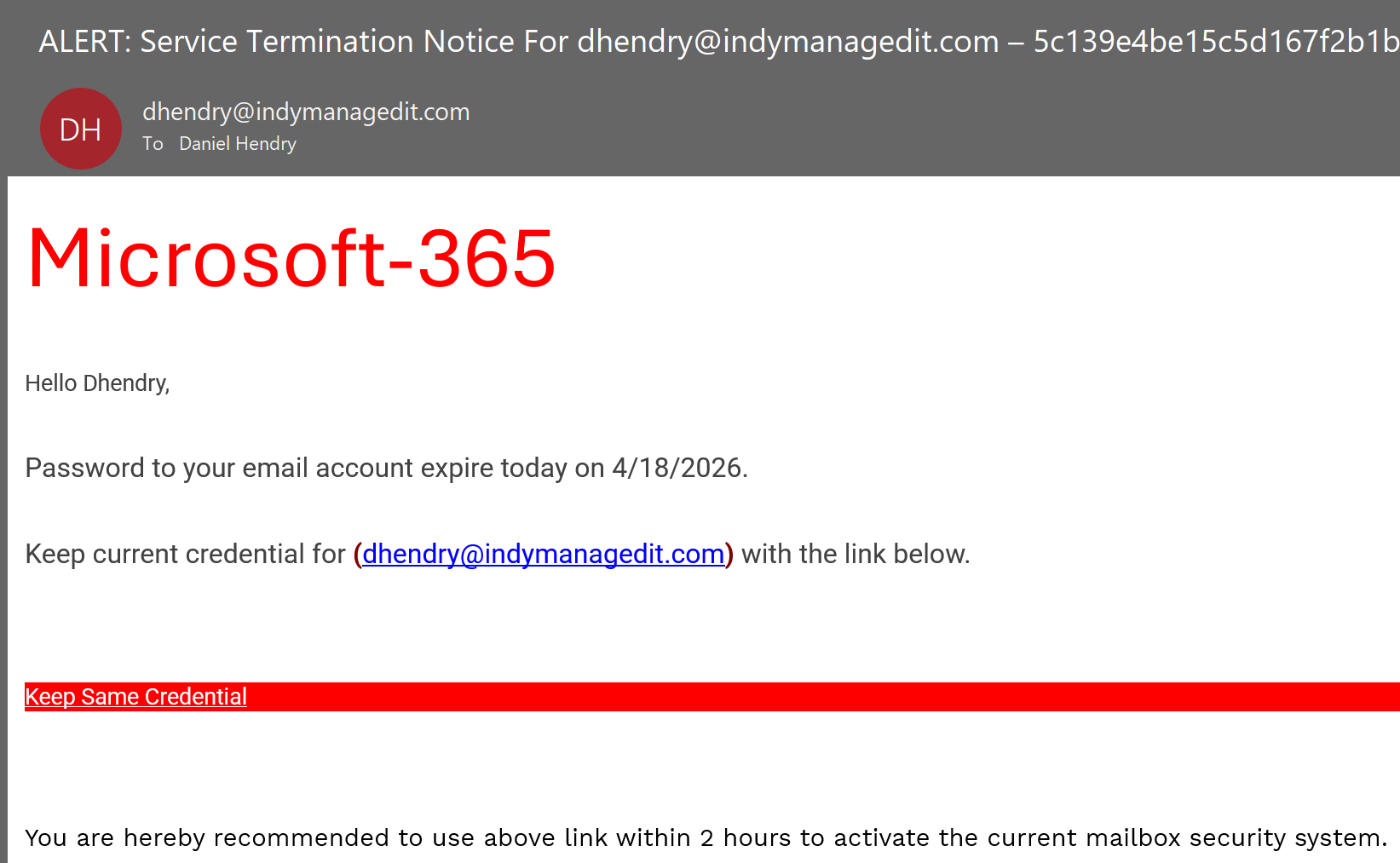
Flags to look for...
1. The subject line has all that random numerics and text at the end
2. The "Microsoft-365" is not professional looking. Something from Microsoft would have their logo of some sort there.
3. Microsoft woudnt contact me regarding my credentials from my own address
So, the question is... how did someone get access to my email to send me an email???
The answer is, most likely they didn't! Here are the best ways to check!
1. Check your SENT folder.
Do you see an email to yourself at the same time the email shows delivered? (or close to)
If not, then most likely, they are spoofing your account.
2. Double click the email and open it up outside the preview. Click on FILE --> Preview.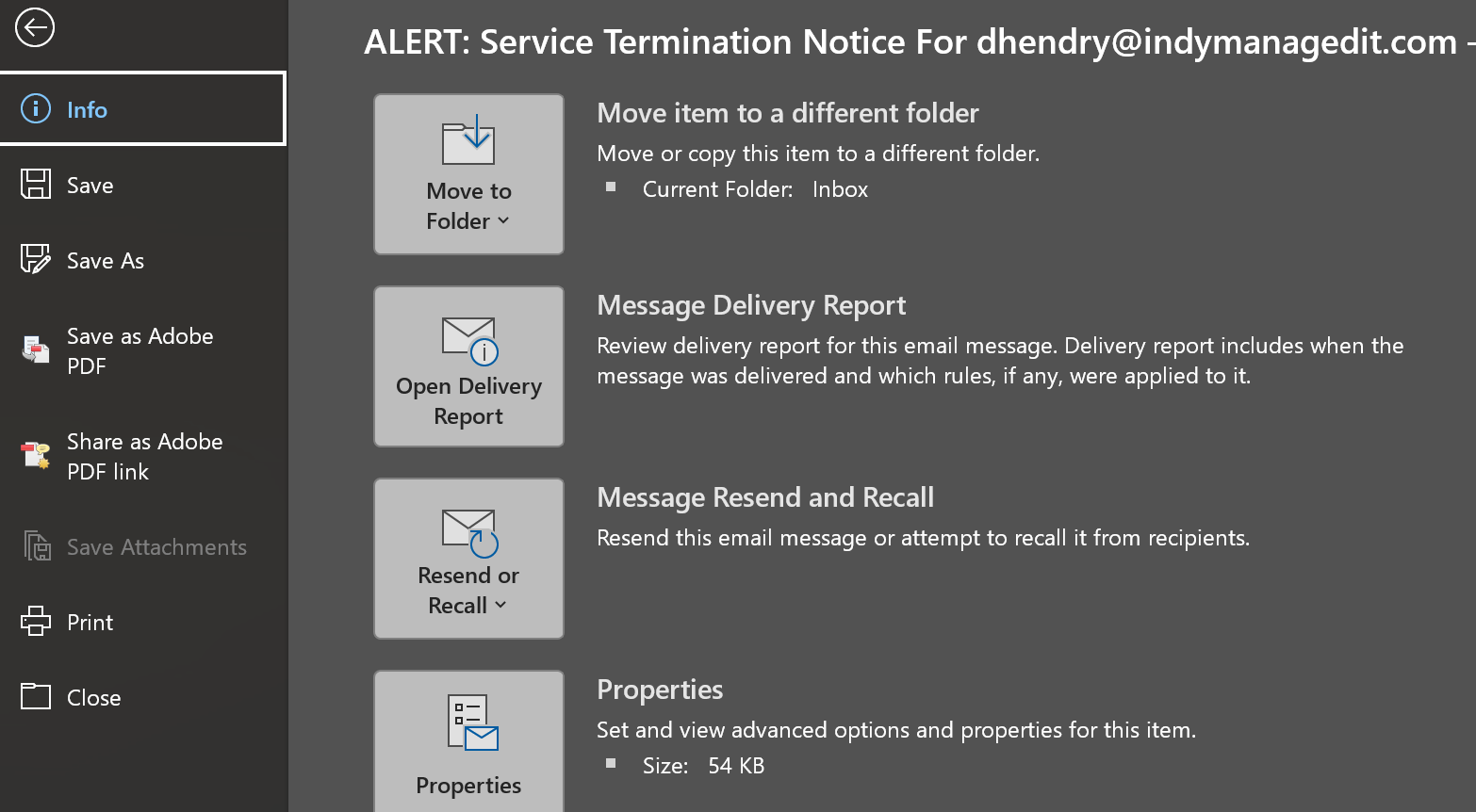
3. Look in the "HEADER" and scroll to find "Authentication Results".
If it says "SPF = FAIL" then the email is NOT from your account, and the sender modified the header to appear as if it was from you, but it was not from their account.
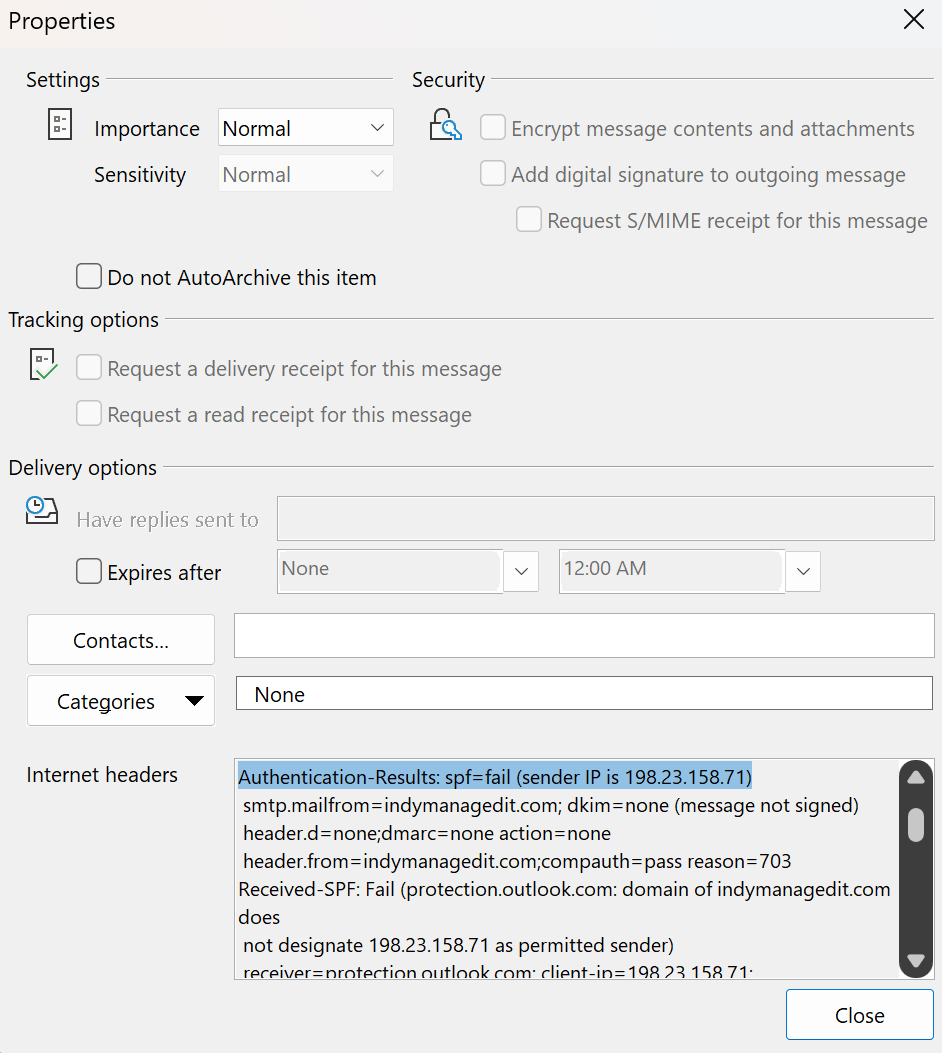
So, its SPAM and someone SPOOFED me. Now what?
Do not reply to the email. That is only verifying to the spoofer that the email account is active and used.
Do not click anything on the email. This is where "Hacking" occurs where someone gets into your email account. This is also known as "Credential Harvesting" and "Phishing".
DO... Report the email as SPAM
DO... Delete the email immediately.
Was this article helpful?
That’s Great!
Thank you for your feedback
Sorry! We couldn't be helpful
Thank you for your feedback
Feedback sent
We appreciate your effort and will try to fix the article