To set up MFA/2FA on your 8x8 profile, download an MFA app on your phone such as Google Authenticator, Microsoft Authenticator, and Authy.
Navigate to the login page and enter your 8x8 admin credentials and click Login.
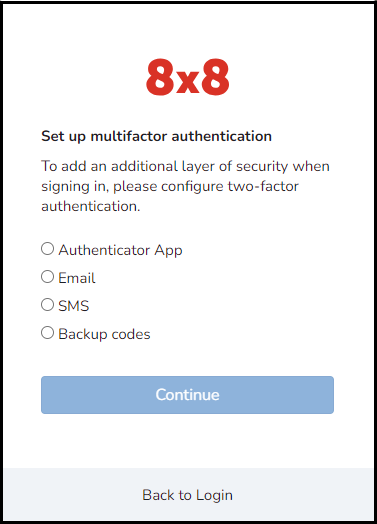
After the MFA is enabled, during the first login, configure the two-factor authentication for your account. Choose one of the available options: Authenticator apps, SMS, or E-mail, and click Continue.
Enter the verification code and click Verify.
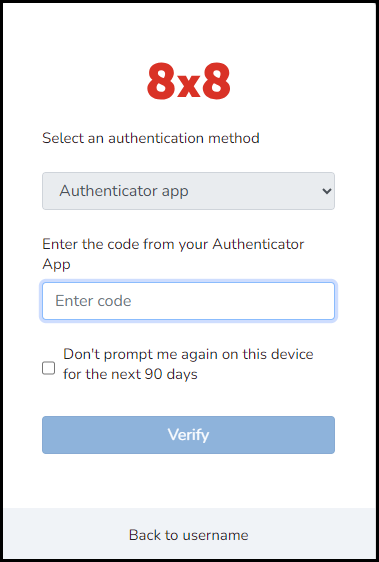
Once configured, users are logged in as normal.
Was this article helpful?
That’s Great!
Thank you for your feedback
Sorry! We couldn't be helpful
Thank you for your feedback
Feedback sent
We appreciate your effort and will try to fix the article